KutologoJM's Portfolio
ONI FOOD API TUTORIAL
To use this api you will need to register a test account, you will not need to link any real life accounts to it.
Please click on the link below and you will be taken to the registration page. Once there enter a simple username and a simple password (e.g. simplepass), next close that window and click on step 2. Enter your newly created username and password. If you see your username, you have been successfuly logged in.
In this tutorial, I will guide you through how to add two recipes, their respective ingredients and how to link them together. At the end, you will be able to view your recipe in this stylized form.
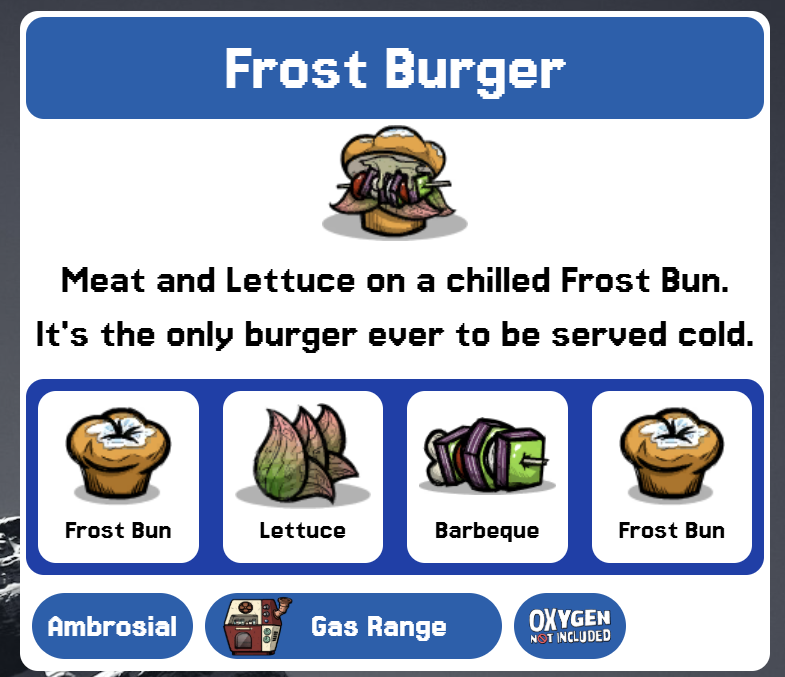
Step 1: Recipes
We shall be creating both recipe objects before moving on to the ingredients.
As this is a public demo/tutorial, I have made it so that you are only able to view your own additions.
While using the api, after you press POST to submit your contribution please press GET to continue instead of refreshing the page.
Here are the 2 recipes you will be adding to the api:
Cooked Seafood
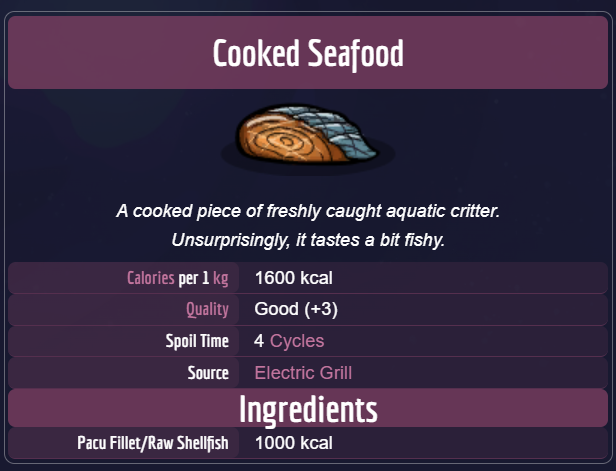
Name: Cooked Seafood
Description: A cooked piece of freshly caught aquatic critter.
Unsurprisingly, it tastes a bit fishy.
Image url: https://oxygennotincluded.wiki.gg/images/Resource_Cooked_Seafood.png?8be41e=&format=original
DLC: Base
Food Quality: {"Quality": "Good", "Morale impact": "+3"}
Spoil time: 4
Kcal per kg: 1600
Source: Electric Grill
Source image url: https://oxygennotincluded.wiki.gg/images/Electric_Grill.png?7e3bb5=&format=original
Calories produced: 1600
Curried Beans
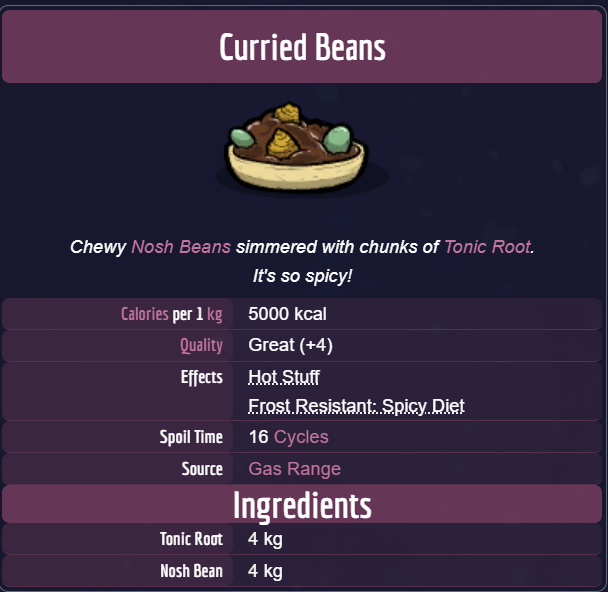
Name: Curried Beans
Description: Chewy Nosh Beans simmered with chunks of Tonic Root.
It's so spicy!
Image url: https://oxygennotincluded.wiki.gg/images/Resource_CurriedBeans.png?d30f52=&format=original
DLC: Base
Food Quality: {"Quality": "Great", "Morale impact": "+4"}
Spoil time: 16
Kcal per kg: 5000
Source: Gas Range
Source image url: https://oxygennotincluded.wiki.gg/images/Gas_Range.png?caa6a2=&format=original
Calories produced: 5000
Please click here and a popup should open with the api interface. Once it opens, please fill in the HTML form with the information for each recipe provided above.
If you are done with that, then we may proceed to the ingredients. Please close the recipes api interface.
Step 2: Ingredients
As with the ingredients we will be adding all 4 ingredients before moving on to the next step.
Here are the 4 ingredients you will be adding to the api:
Raw Shellfish
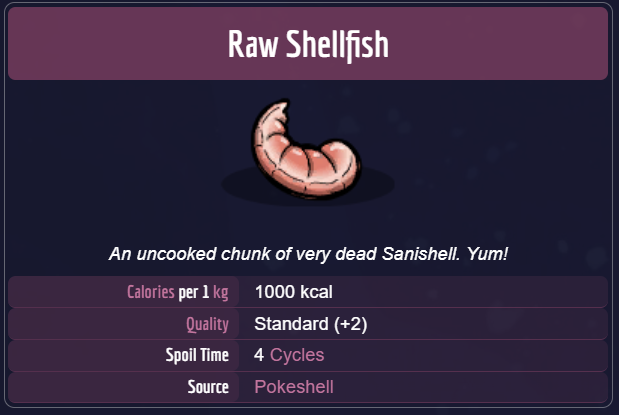
Name: Raw Shellfish
Description: An uncooked chunk of very dead Sanishell. Yum!
DLC: Base
Ingredient image url: https://oxygennotincluded.wiki.gg/images/Raw_Shellfish.png?d611a9=&format=original
Spoil time: 4
Food quality: {"Quality": "Standard", "Morale impact": "+2"}
Kcal per kg: 1000
Source: Pokeshell
Source image url: leave blank
Pacu Fillet
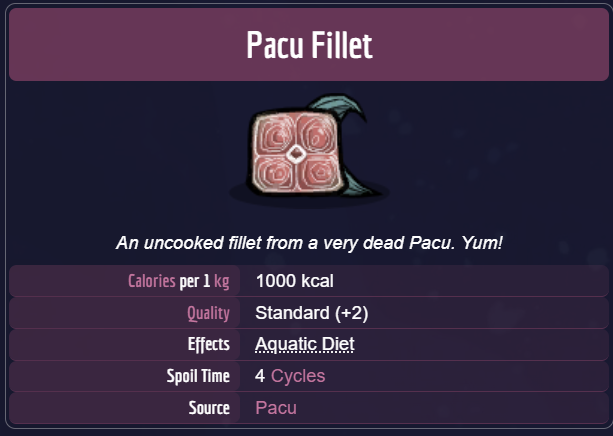
Name: Pacu Fillet
Description: An uncooked fillet from a very dead Pacu. Yum!
DLC: Base
Ingredient image url: https://oxygennotincluded.wiki.gg/images/Resource_Pacu_Fillet.png?719b3f=&format=original
Spoil time: 4
Food quality: {"Quality": "Standard", "Morale impact": "+2"}
Kcal per kg: 1000
Source: Pacu
Source image url: leave blank
Tonic Root
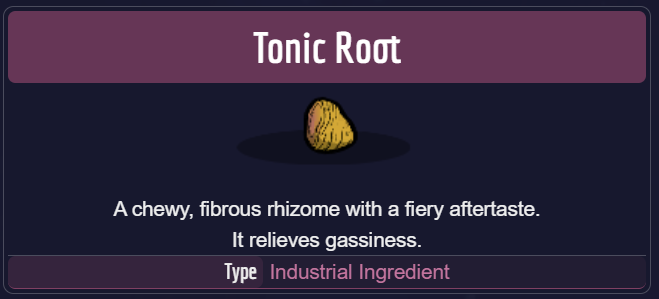
Name: Tonic Root
Description: A chewy, fibrous rhizome with a fiery aftertaste.
It relieves gassiness.
DLC: Base
Ingredient image url: https://oxygennotincluded.wiki.gg/images/Tonic_Root.png?3f726d=&format=original
Spoil time: 0
Food quality: {"Quality": "Null", "Morale impact": "+0"}
Kcal per kg: 0
Source: Delecta Vole
Source image url: leave blank
Nosh Bean
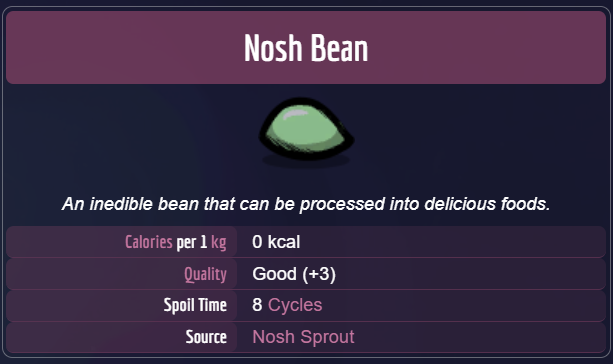
Name: Nosh Bean
Description: An inedible bean that can be processed into delicious foods.
DLC: Base
Ingredient image url: https://oxygennotincluded.wiki.gg/images/Nosh_Bean.png?712675=&format=original
Spoil time: 8
Food quality: {"Quality": "standard", "Morale impact": "+0"}
Kcal per kg: 0
Source: Nosh Sprout
Source image url: leave blank
When ready please click here and a popup should open with the ingredients interface. Once it opens, please fill in the HTML form at the bottom of the page with the information for each ingredient provided above.
Step 3: Recipe Ingredients
For our final step, we shall link the ingredients you have created to their specific recipes.
The Recipe Ingredients interface
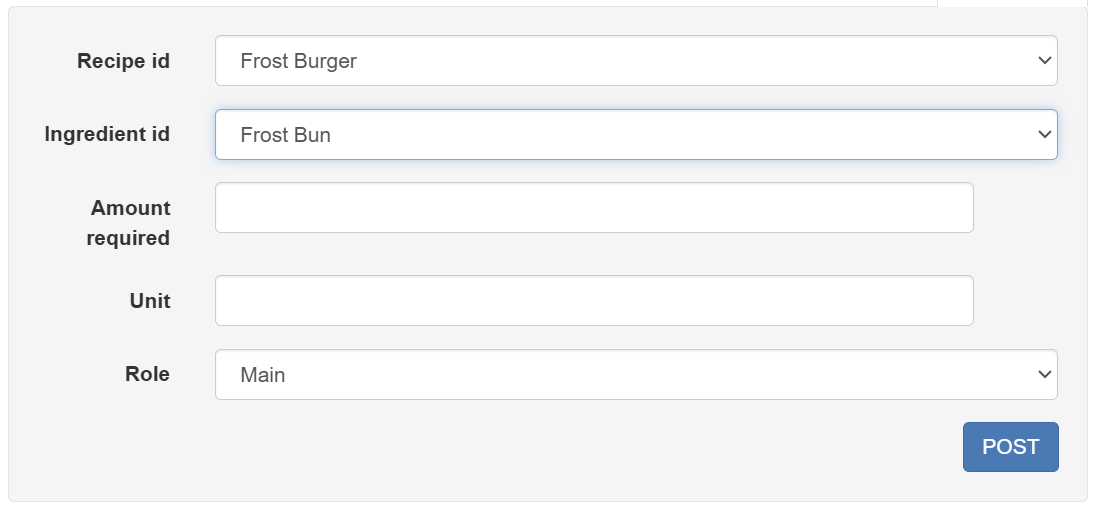
Recipe id: choose your desired recipe from the drop-down menu
Ingredient id: choose your desired recipe from the drop-down menu
Role: choose between Main or Alternate
Cooked Seafood
Recipe id: Cooked Seafood
Ingredient id: Raw Shellfish
Amount required: 1000
Unit: kcal
Role: main
Recipe id: Cooked Seafood
Ingredient id: Pacu Fillet
Amount required: 1000
Unit: kcal
Role: alternate
Curried Beans
Recipe id: Curried Beans
Ingredient id: Tonic Root
Amount required: 5
Unit: units
Role: main
Recipe id: Curried Beans
Ingredient id: Nosh Bean
Amount required: 5
Unit: units
Role: main
When ready please click here and a popup should open with the ingredients interface. Once it opens, please fill in the HTML form at the bottom of the page with the information for each ingredient provided above.
Finale
I hope this tutorial was a sufficient guide into this api and helped you along the way in creating your own entries. Now we can take a look at the results of your hard work.